
Quoting tool to speed up paper processes
Role
Product Designer
Timeline
12 weeks
Description
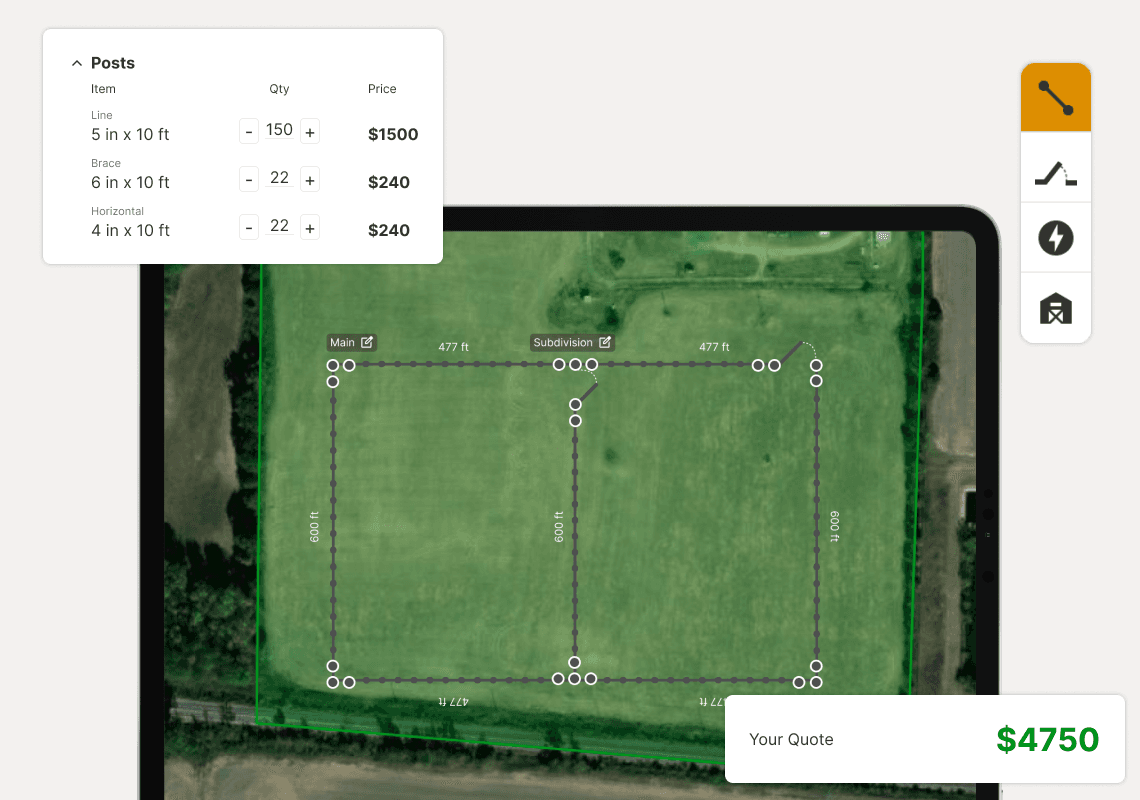
Designing a fence quoting tool to move a manual process into a digital workflow.
Highlights
Cut quoting workflows from hours to minutes.
Strong organic adoption in a low-tech space.
Problem
The quoting process was fast enough to win or slow enough to lose.
Fence contractors and internal sales reps at a specialty fencing supply company quoted jobs with pencil, paper, and a lot of mental math. Sometimes, they had no address, no measurements, and a lot of guessing. Understanding how to quote a job lived entirely in their heads, built up over years of fence building.
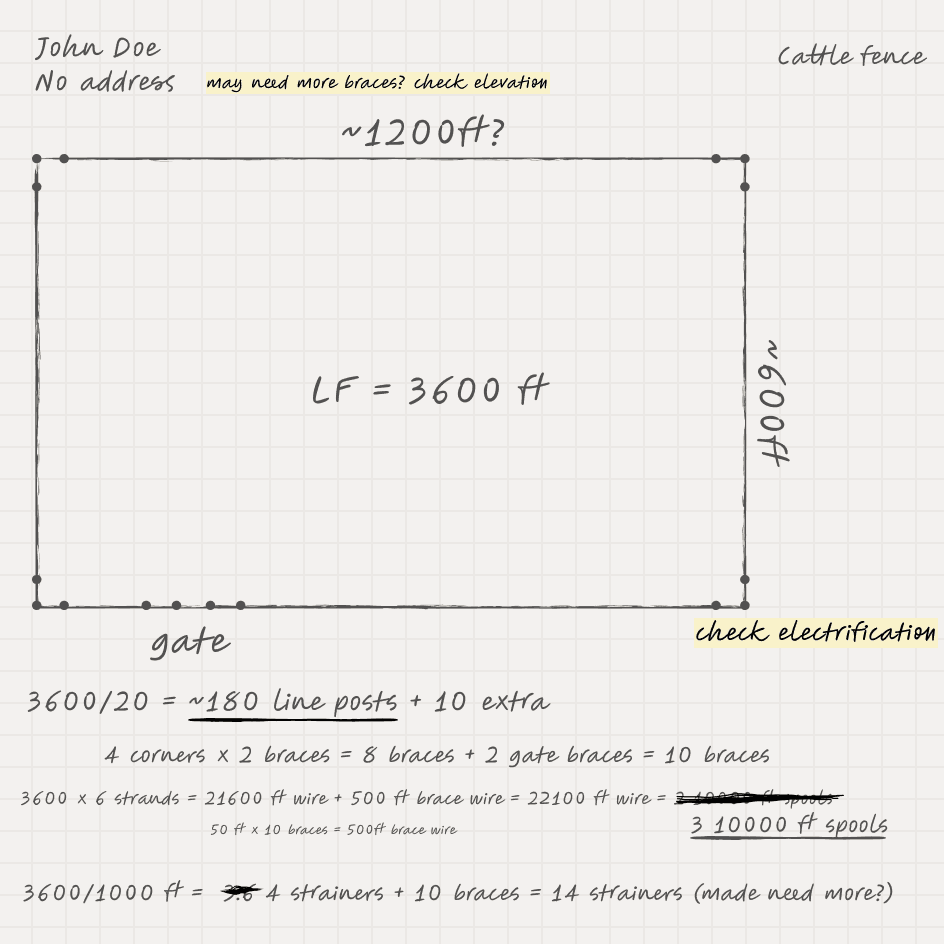
Fence contractors
Bid quickly, accurately, and competitively.
An incorrect material count could affect their profit margin. Quoting too slow could lose the bid to a faster competitor.
Internal sales
Quoting too slow meant losing a lead.
Speed and accuracy created lead conversion. A slow quote meant a customer called somewhere else.
Solution
A drawing and quoting tool that cut quoting time, organically adopted in a low-tech space.
Impact
000+
users in first 30 days
43m
reduction in quoting time
9%
bounce rate
Specific metrics under NDA
Approach
Breaking ground
Research
Starting from an unexpected prototype
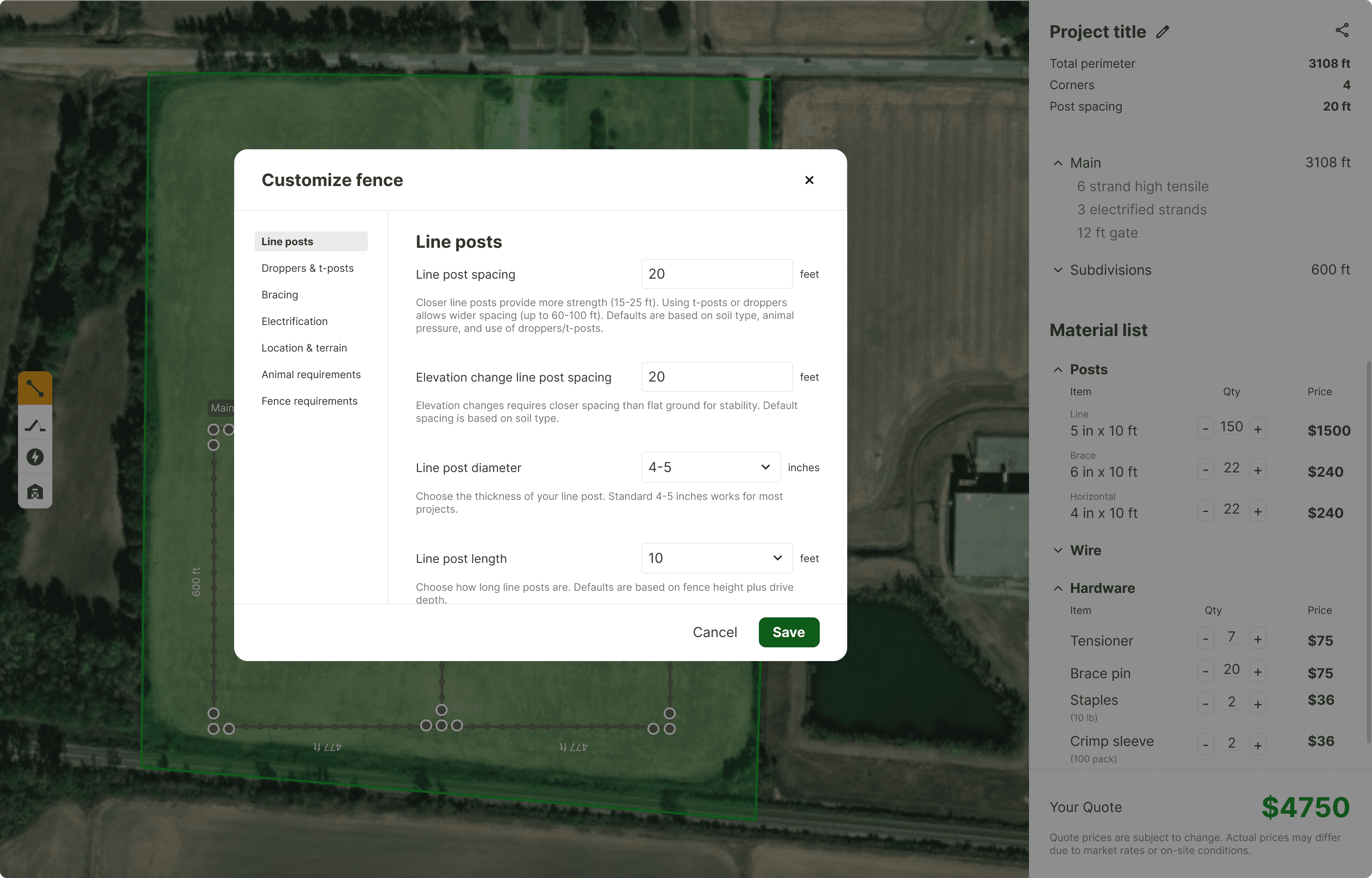
A previous contracting team had built an early version. Drawing and fence configuration were split, and users had to context-switch constantly to complete what should have been a single task.
A new development team was hired to rebuild it without looping me in. They sent me a completed prototype for review. This new prototype had also accumulated features with no clear user need, no depth, and no connection to the core quoting workflow.
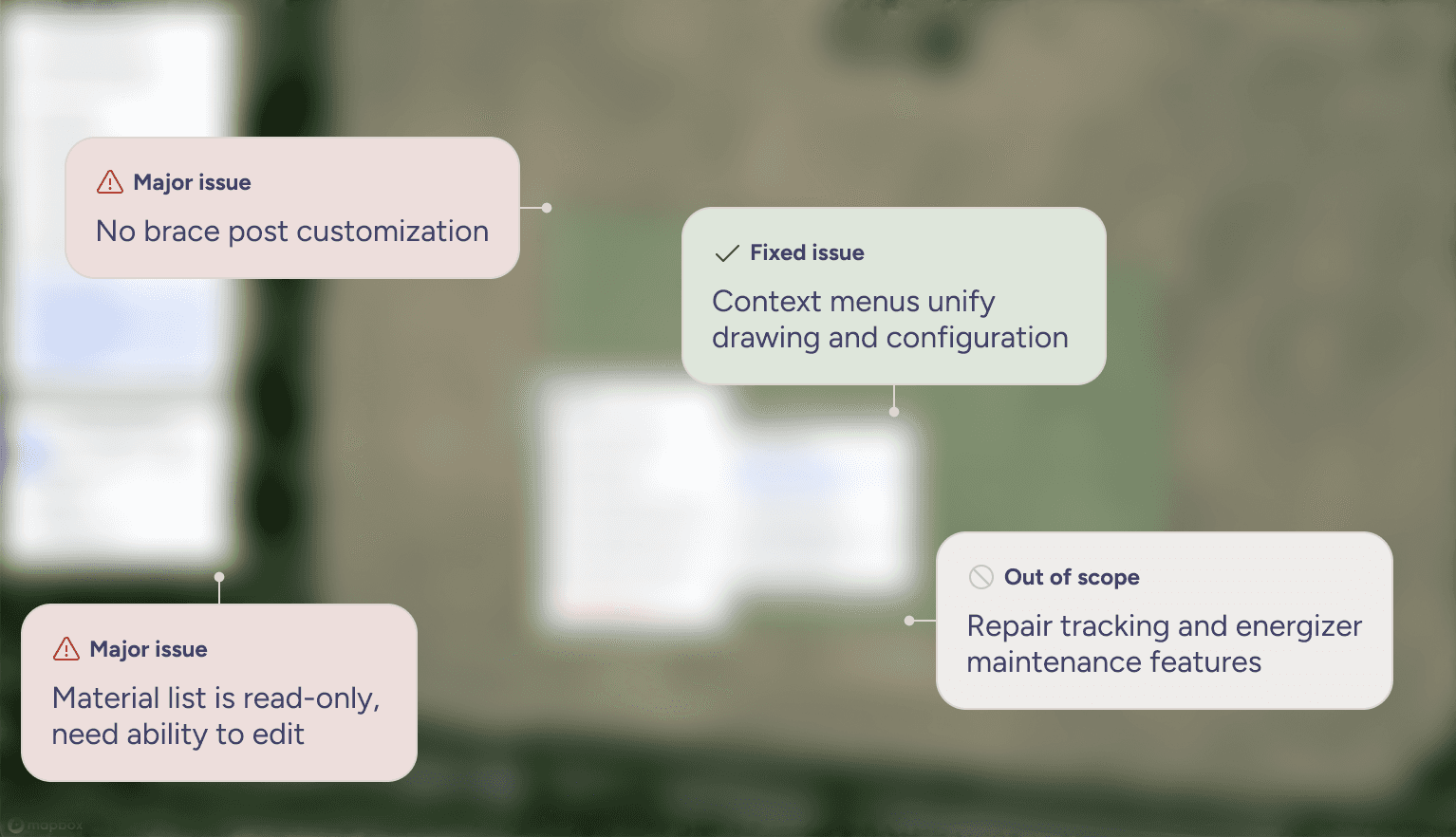
Resolved
Contextual menus unified drawing and configuration
Fence segments could be edited inline
Single canvas for the full quoting task
New problems
Out-of-scope features with no user basis
Shallow additions that added visual noise
Calculation layer with no customization
Review revealed areas to cut scope and do the core workflow well.
To get grounded, I completed a heuristic evaluation, looking for opportunities for improvement in interaction and areas to cut scope. I sat down with the new dev team and made the case for an MVP, in order to hone in on the core features and scope.
Research
Testing revealed a trust problem, not a usability problem.
I let user feedback guide me early in the process, since I had never built a fence before myself. I needed their expertise and perspective to outline what core features were necessary. I tested with 3 users with one goal in mind: could someone complete a quote without guidance?
Assumptions - What I expected
Users would struggle with drawing.
Drawing tool would be too unfamiliar without instruction
Users wouldn't know how to navigate context menus
Findings - What testing actually revealed
Drawing worked, but calculations didn't account for personal taste and craft.
Build standards varied drastically between contractors.
Fence building is a specialized trade. Calculations like post spacing or brace type vary by how you learned to build, who taught you, what region you build in, and what materials you work with.
Users needed to edit.
Every session included an attempt to change material quantities to match personal build standards.
Key insight
They didn't need the tool to be right:
Contractors needed it to reflect the nuances of their build style.
Research
Trust was built with two areas of focus: transparency and control.
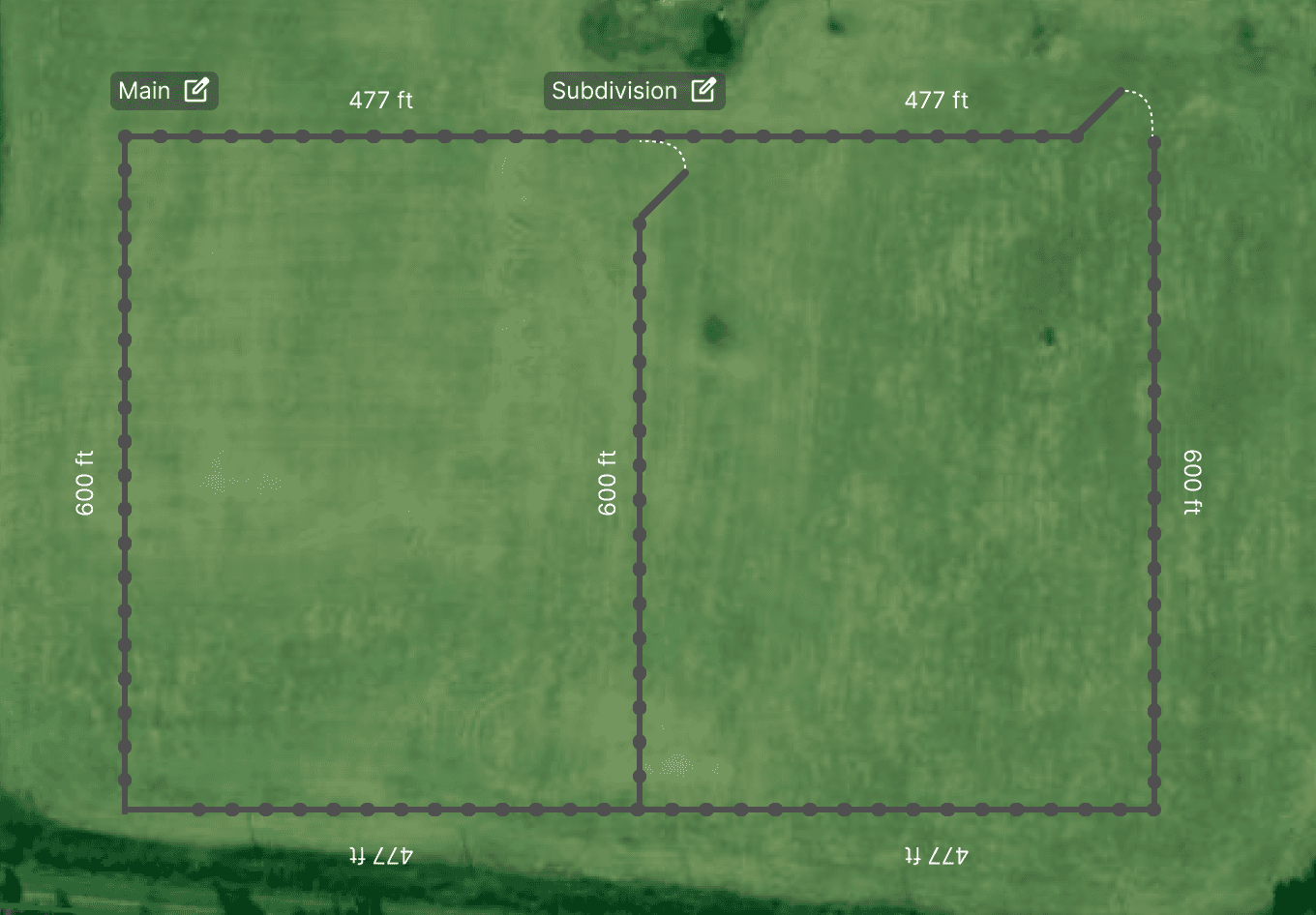
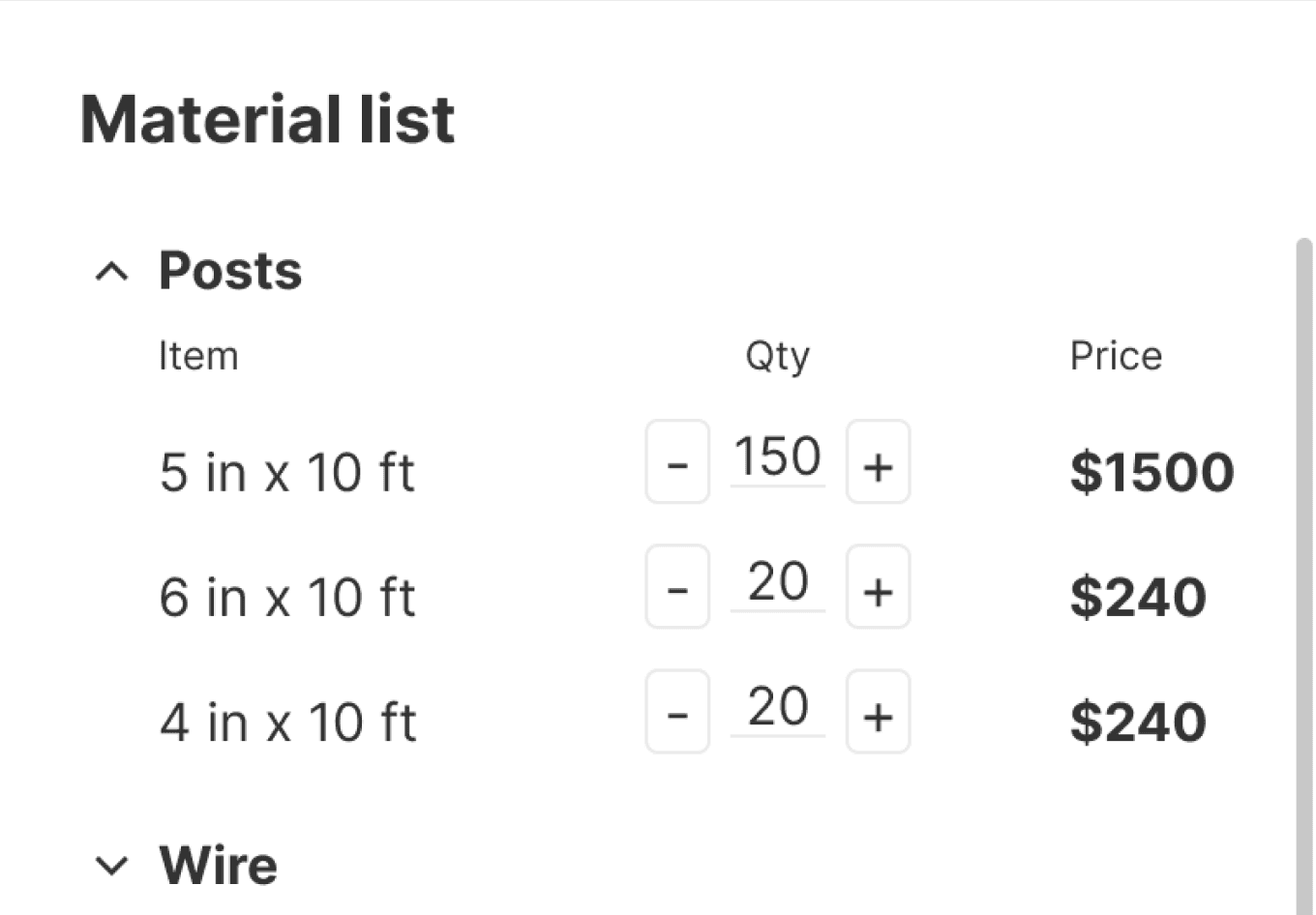
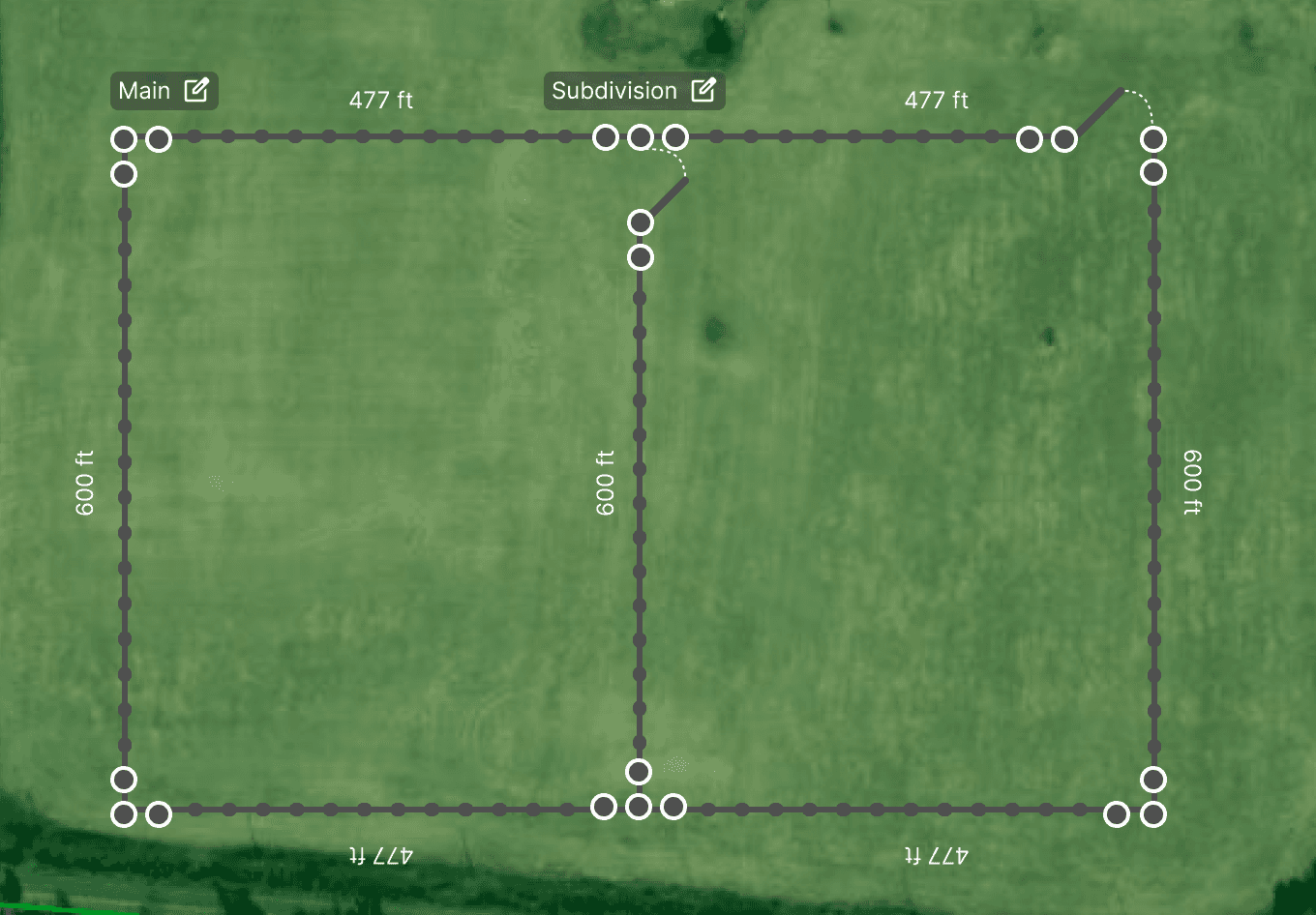
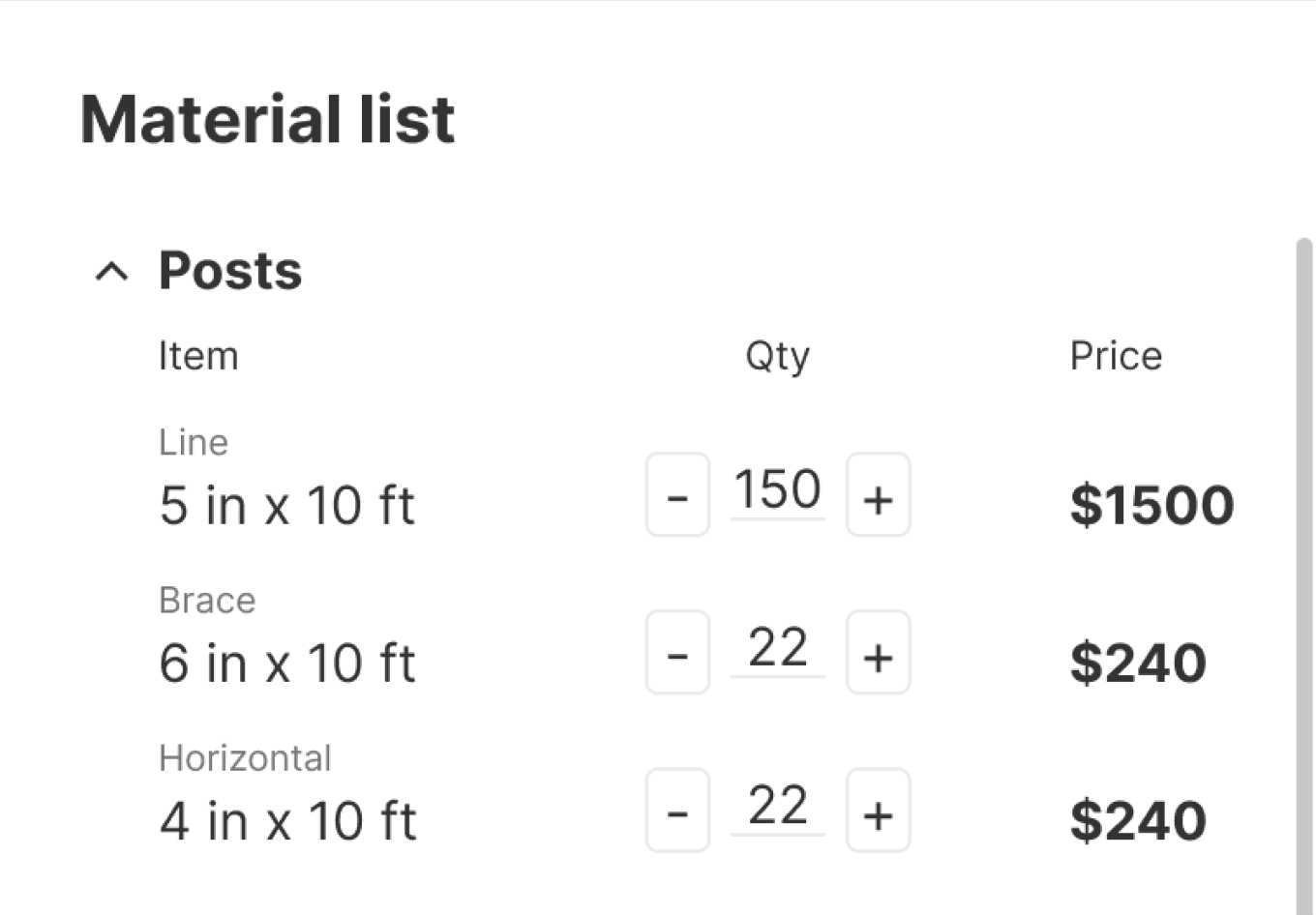
Transparency: Contractors needed a visual anchor for brace posts to verify materials.
During testing, users anchored their mental math to brace post counts. More bracing means more posts, more wire, and more labor, and the tool couldn't fully show that breakdown.
I prioritized this small fix because the braces are the base for calculating other materials. Contractors needed to see the posts to build trust (and ultimately adoption) between their personal math and the tool's calculations.
Before
After
Control: Contractors needed to customize the fence type to fit build standards.
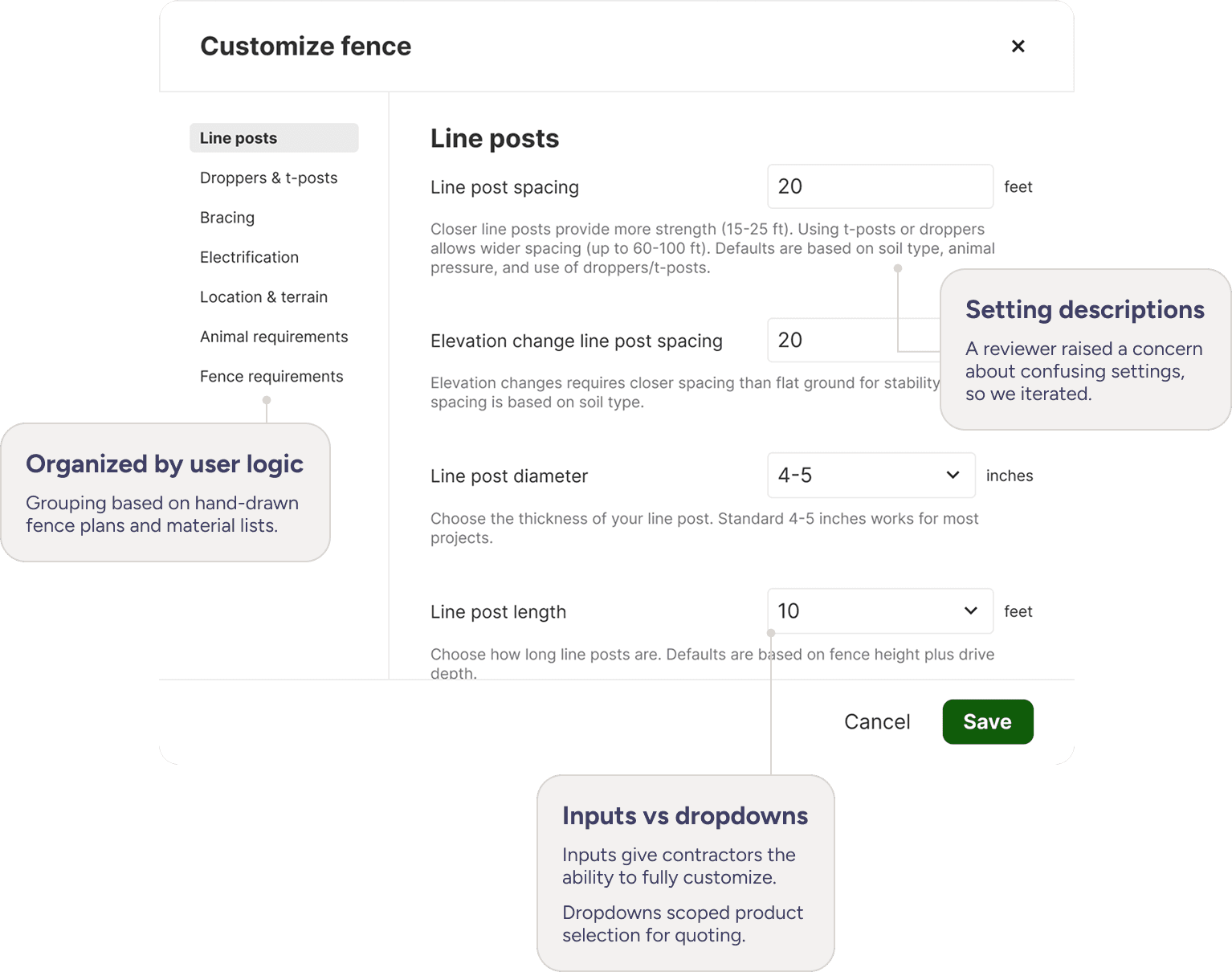
The bigger design response was a settings page that let users configure calculation inputs to match their own build style. This wasn't in the original prototype, but did already exist within the calculation system itself. I helped scope and prioritize the specific controls we needed to expose, as well as the design layout.
1
Hierarchy
Determine IA based on mental models.
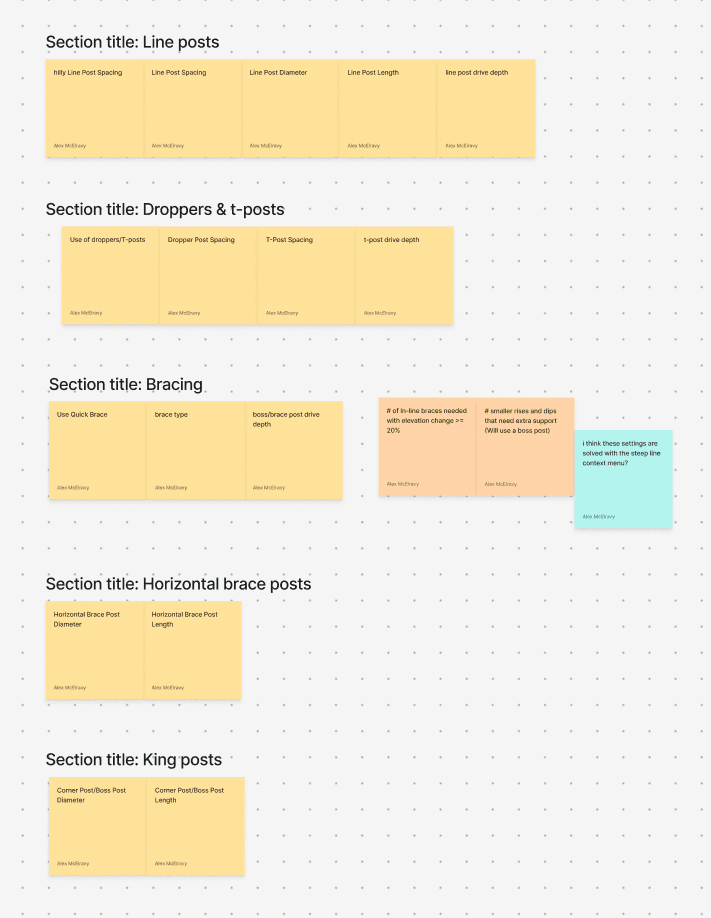
2
Sketching
Determine input types based on system.
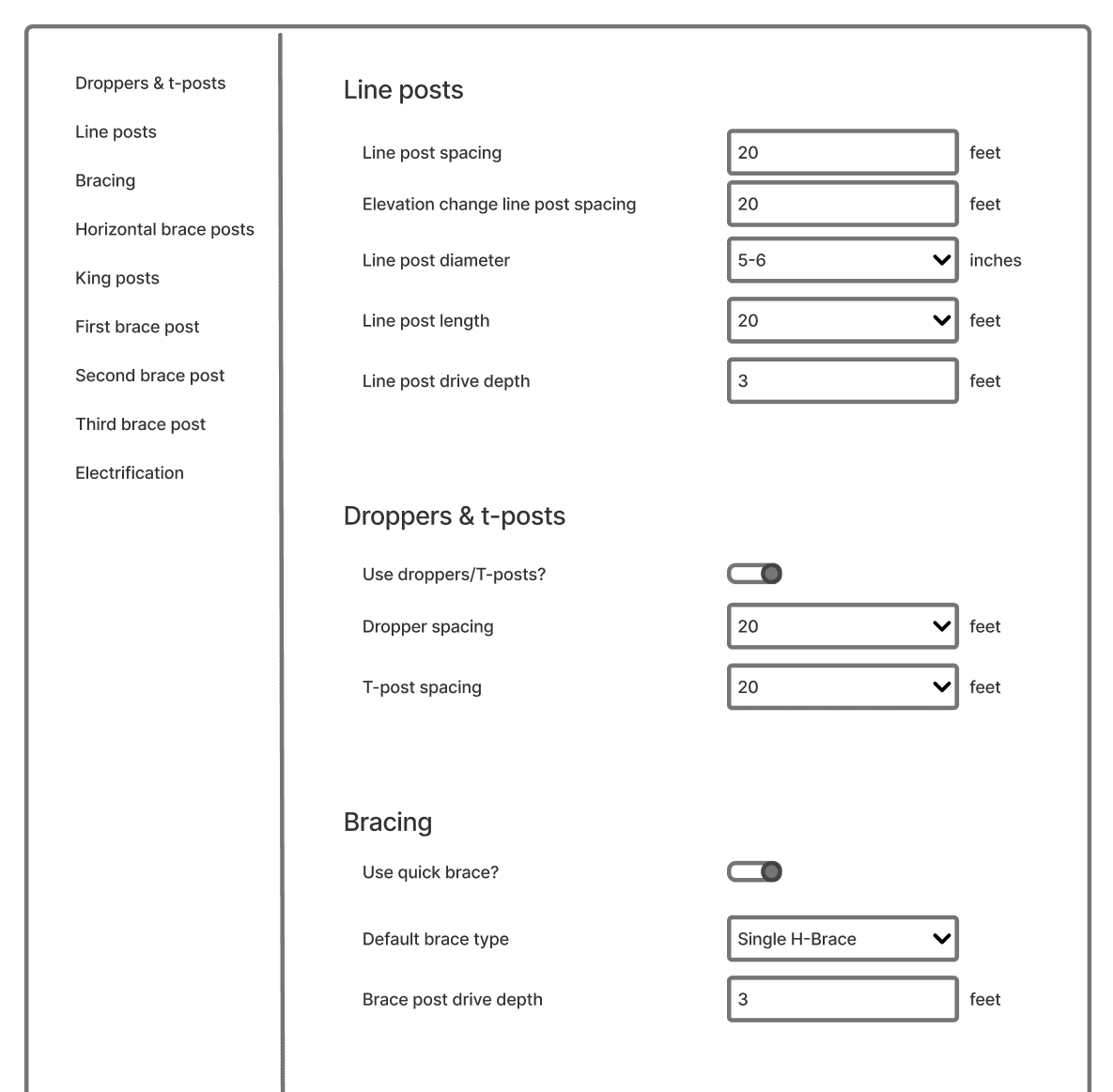
3
Implementation
Ship initial settings with no explanations.
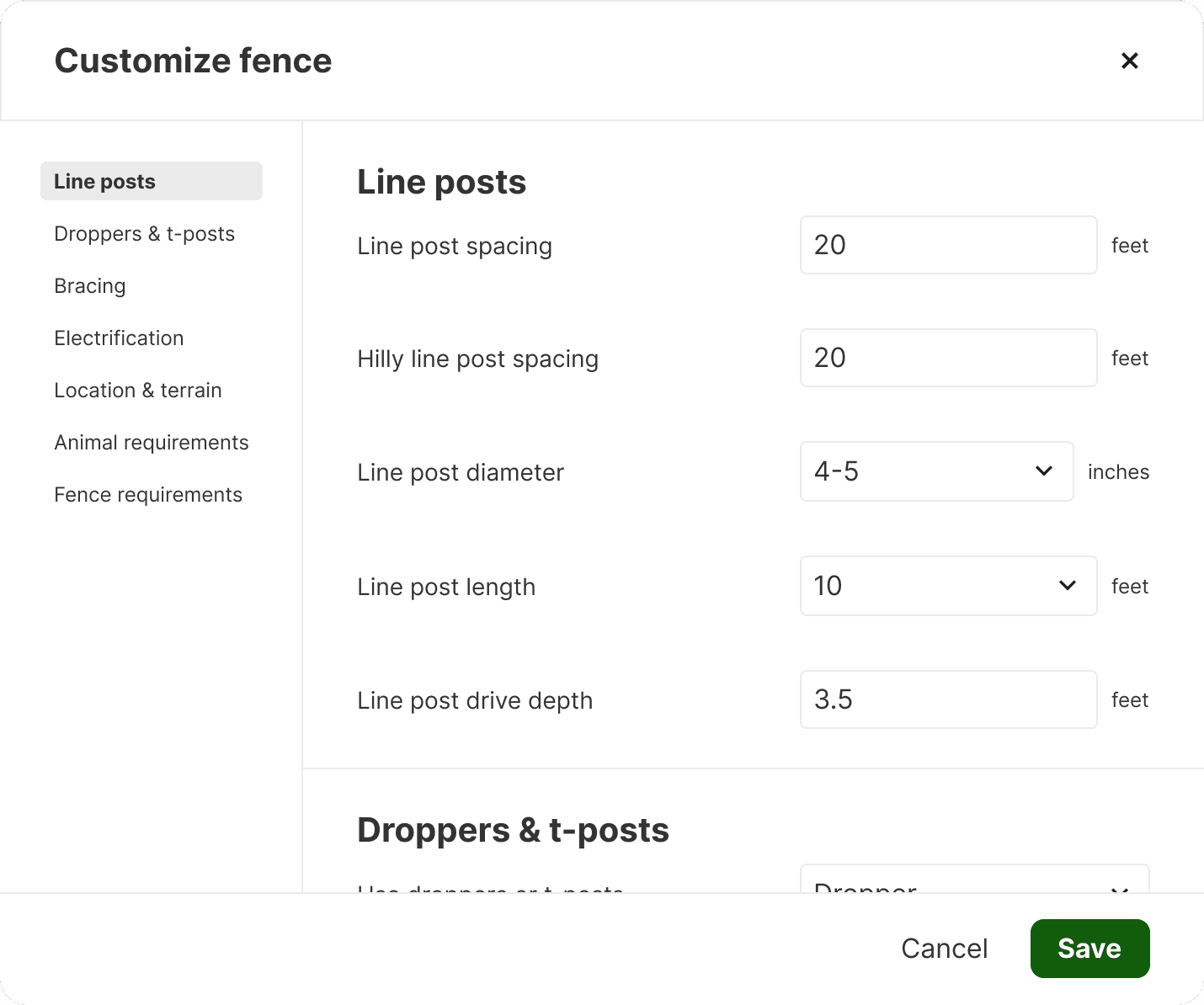
4
Iterate
Add descriptions to guide customizations.
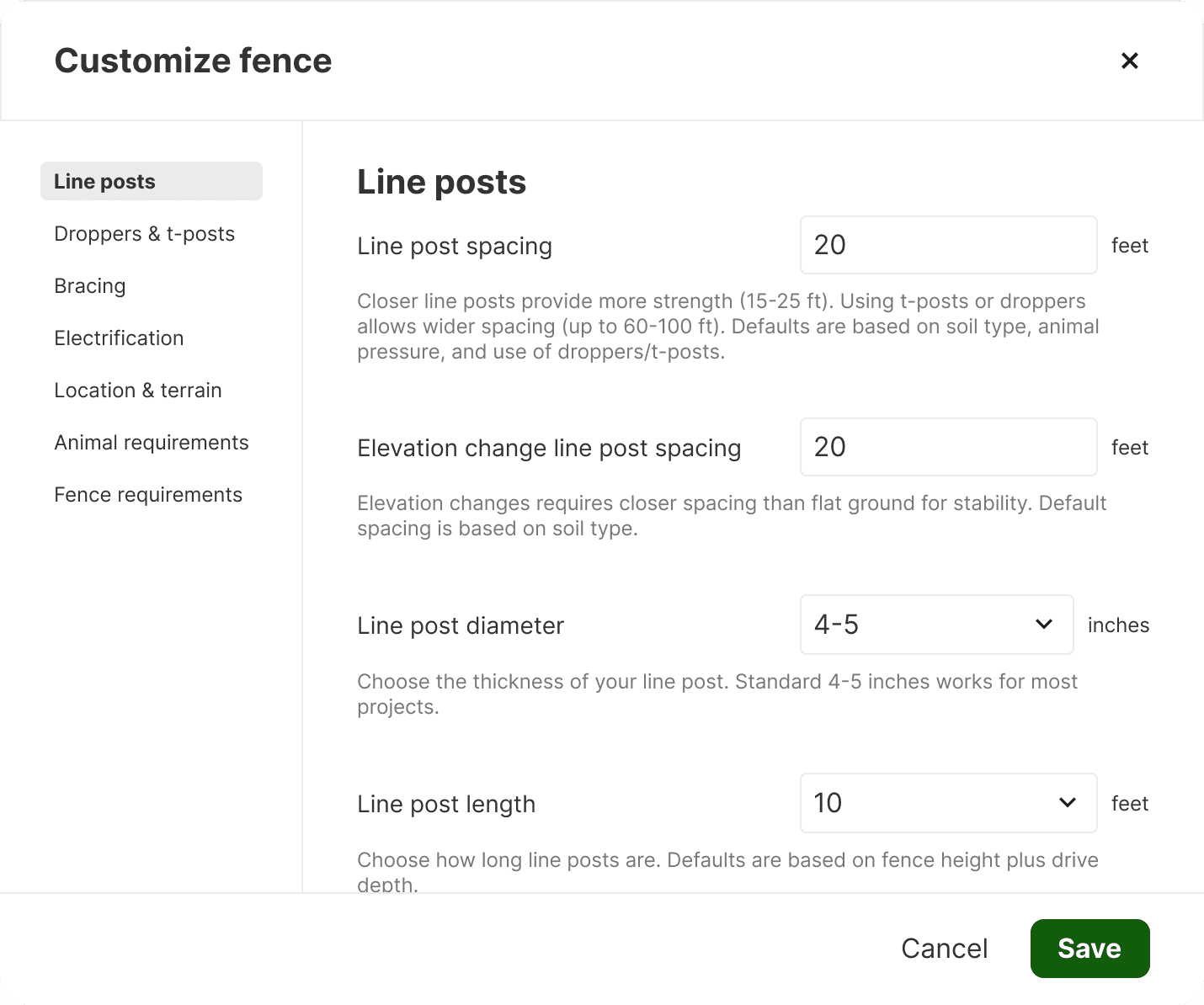
Tradeoffs
I prioritized control over full transparency to get speed to launch.
I still felt the transparency was not enough for users to trust the tool. However, I made the call to defer any further features. The transparency and control features I already prioritized already started to bridge the gap. We could fully close it through further iterations, and the tool that fit how contractors calculated was fully shippable.
Gave up
Calculation transparency
Clarity inside the math, with features like dynamic breakdowns showing line-by-line how material counts were reached.
Moved toward
Configurable inputs
Less transparent, but more actionable trust with settings to control calculations to match personal build style.
Outcomes
Quoting became a digital-first workflow in a space that had never had one.
This wasn't a company primed to adopt new tools. Previous tech initiatives had struggled to get traction and organic adoption wasn't expected. Internal sales reps got a single training session and contractors got a marketing email. After that, people started using it on their own.
"
This tool speeds us up so much. What took hours before now takes only minutes.
– Sales
Reflections
What I learned about shipping under noise.
1
Just ship the thing!
Full calculation transparency would have been ideal, but the chosen features achieved transparency from a different angle. Good enough isn't always a compromise, it just reaches users faster.
2
Define the problem even if no one wants to.
In the beginning, the team struggled to decide to make a product for a beginner or contractor fence builders. Picking a specific segment (with clear reasoning) helped us shape the core feature set, testing strategy, and success markers. Defining the audience first made the downstream decisions way easier.
3
Scope creep is real…
Executives wanted more features and scope kept expanding. As a response, I kept trying to narrow, and the tool that shipped was the tool that did the core workflow well. Strong engagement at launch was an argument I couldn't have made before getting it to customers.